Don't lose the thing you can't lose.
Bills, appointments, the school run. Give the ones that matter a reminder, and for the few that really can't slip, let Yoodoo ring like an alarm, even on silent.
1 min · For Deep Diver, Horizon Watcher
- 1
Open the task
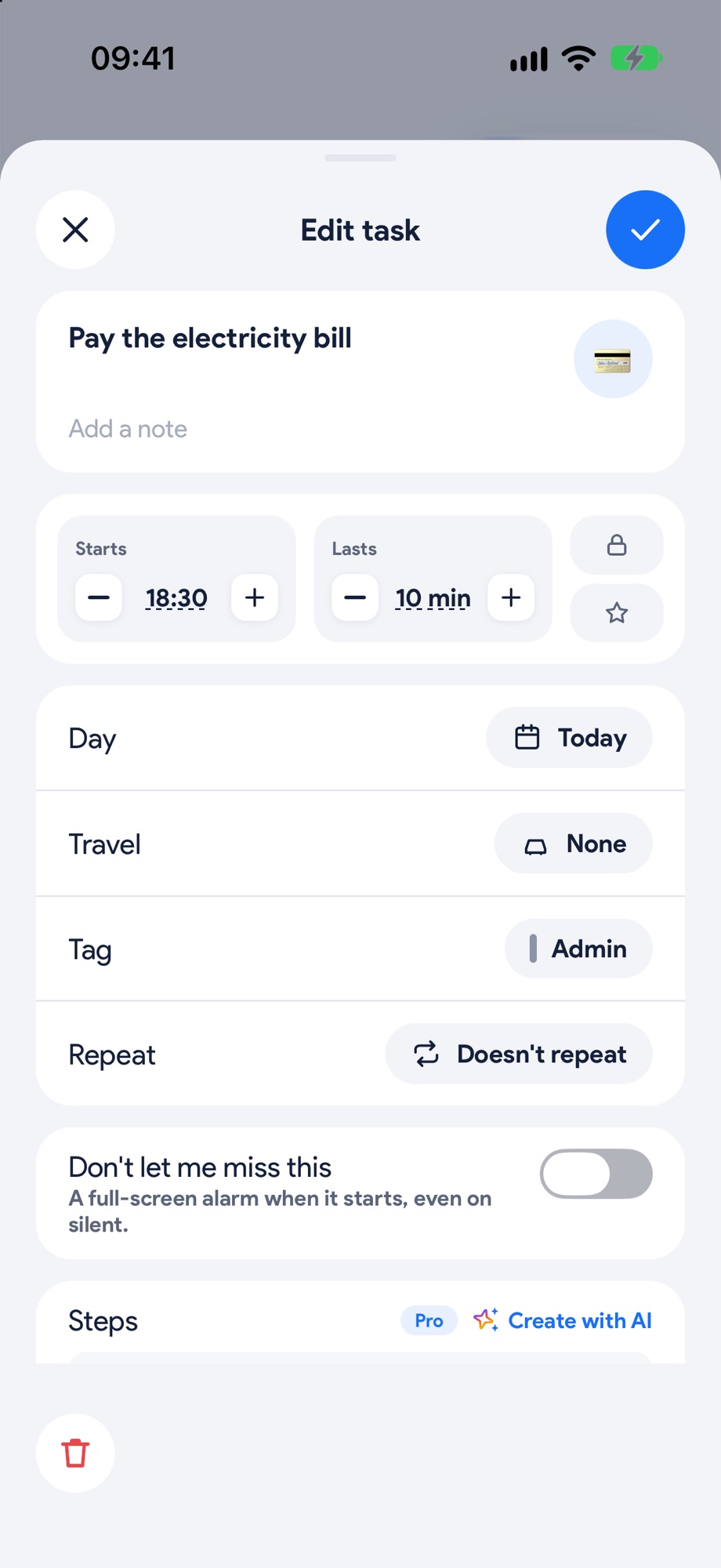
Tap the task and find Remind me, right under the day, and pick how long before: At the start, a few minutes, an hour, or The day before. No time on it yet? Pick a time of day instead.
- 2
Make it ring
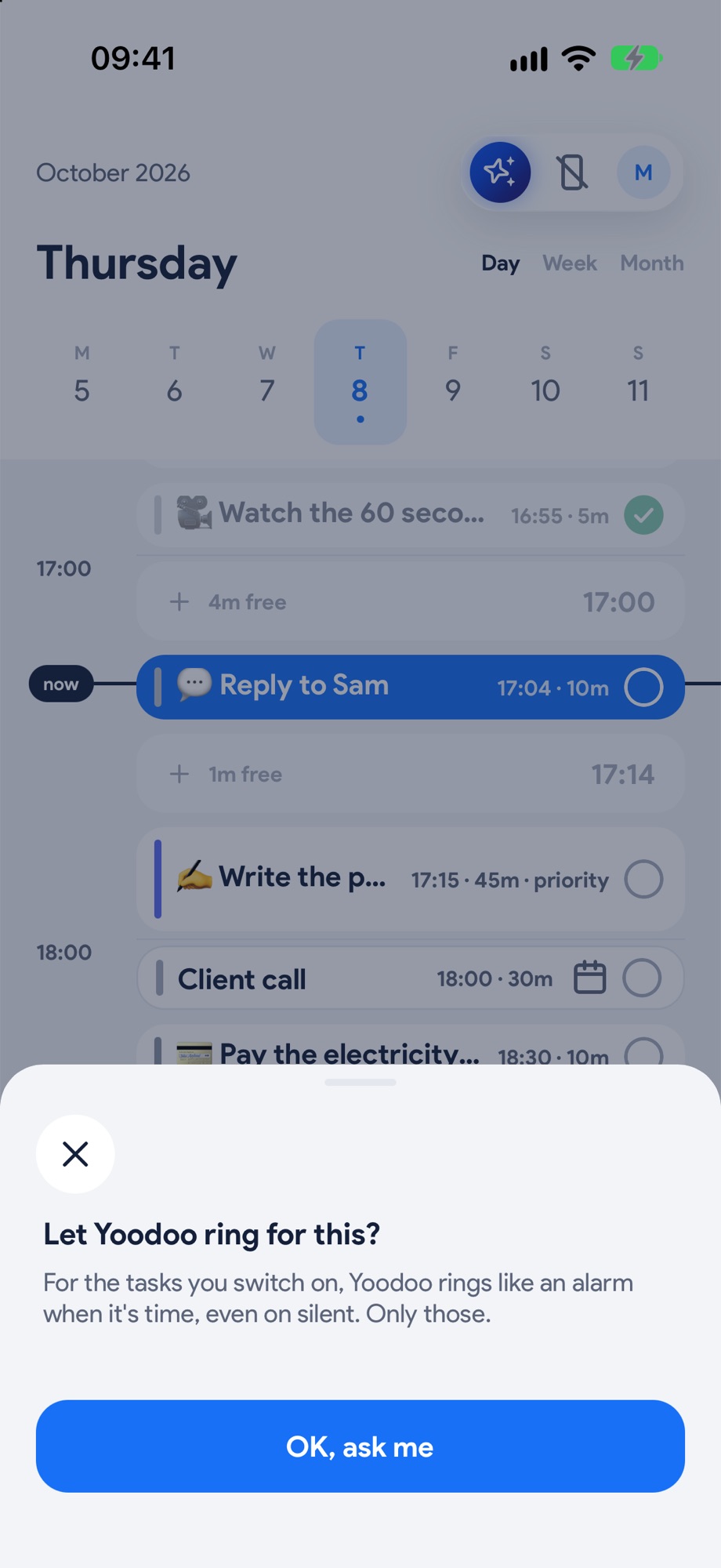
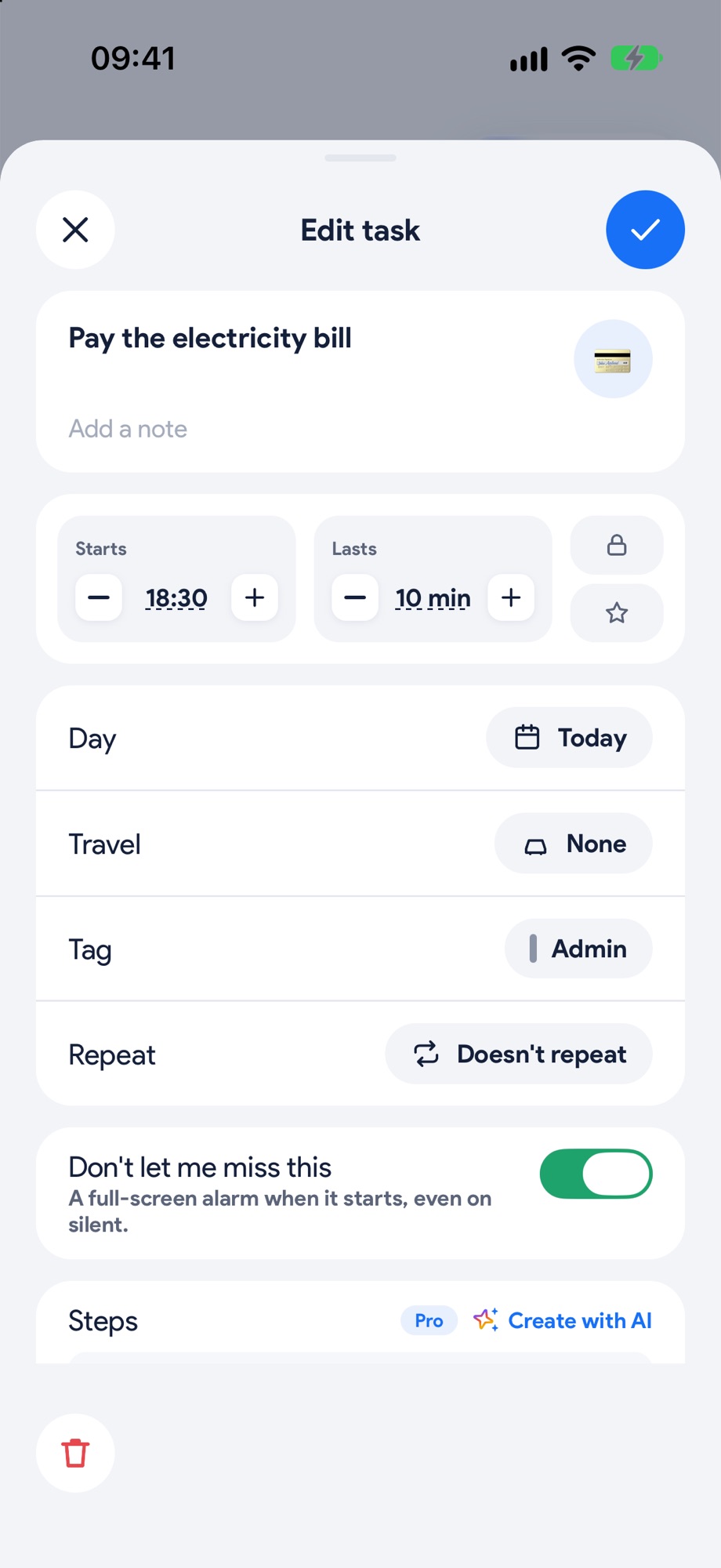
For the ones that really can't slip, switch on Ring like an alarm: full screen at the reminder, even on silent. The first time, Yoodoo asks Let Yoodoo ring for this? Tap OK, ask me and allow alarms.
- 3
That's it
When it's time, your phone rings like an alarm, so hyperfocus can't swallow it. Tap I'm on it.
- 4
The one you keep putting off?
Switch on Hassle me about this in the task's sheet. It nudges, day after day, until it's done.
Screenshot to comeThe one you keep putting off?