Get your mornings back from your phone.
Pick the apps once. They stay off while you work, with a few short unblocks a day for the real stuff. On iPhone and Android.
3 min · For Scroller
- 1
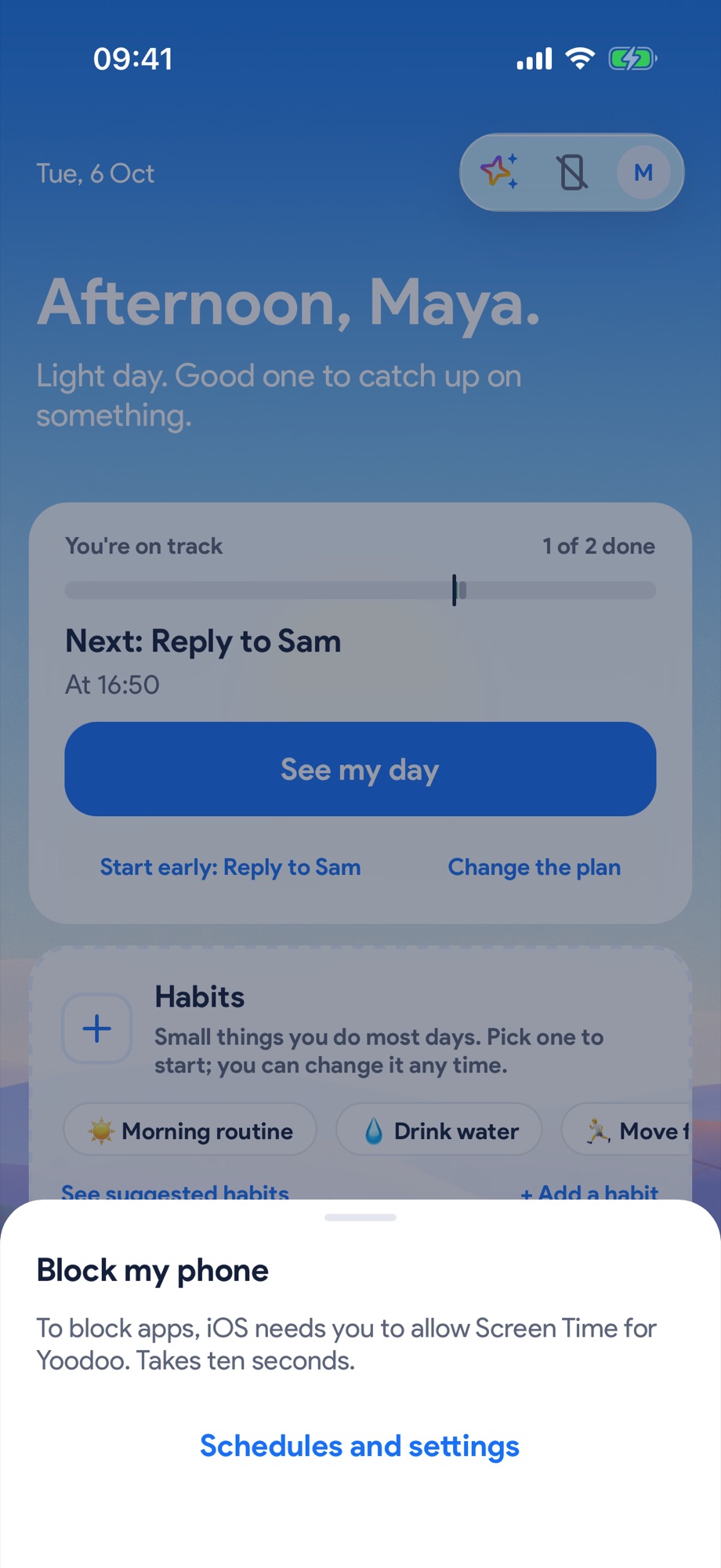
Tap the crossed-out phone in the top bar
It opens Block my phone. The first time, tap Schedules and settings.
- 2
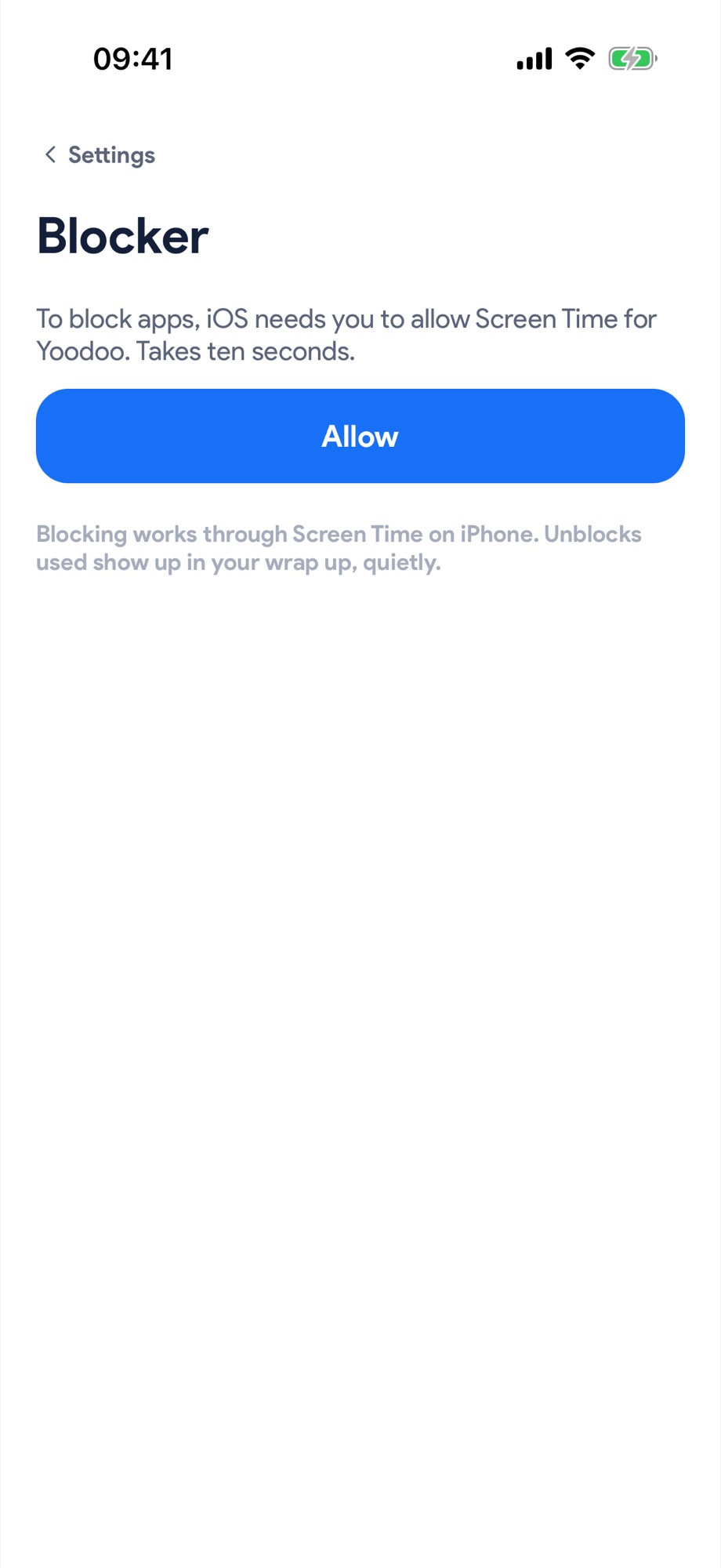
Let Yoodoo block
On iPhone, blocking works through Screen Time: tap Allow. It takes ten seconds and iOS only asks once. On Android, Yoodoo asks for Usage access, then to show over other apps so a block screen can cover a blocked app. It only sees which app is open, never what's on your screen.
- 3
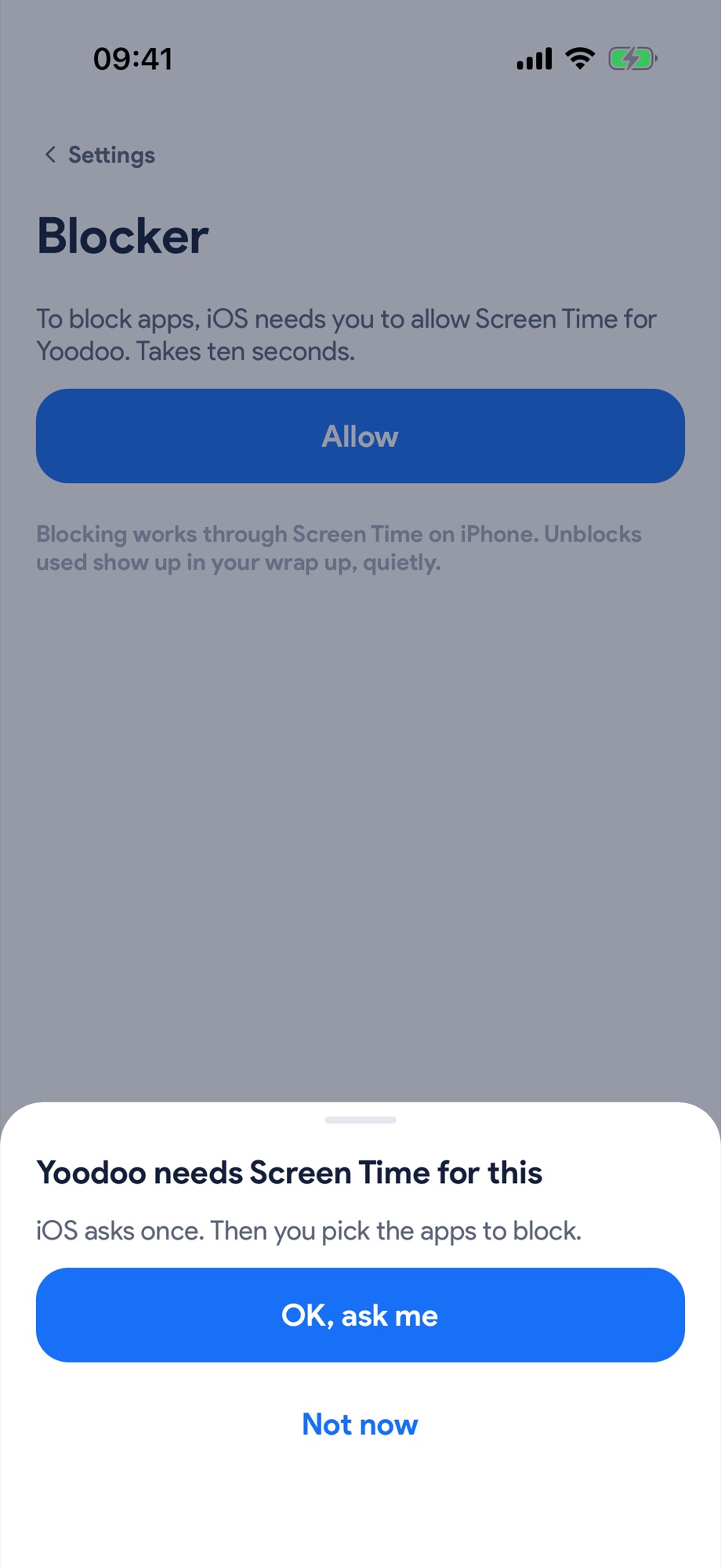
Say yes once
Tap OK, ask me, then allow it when your phone asks.
- 4
Pick the apps, then pick when
Under Apps to block, tap Pick apps. Then turn on a schedule like Mornings, or tap Block now for 30 minutes, an hour, or until you stop it.
Screenshot to comePick the apps, then pick when - 5
Need one for something real?
Blocked apps show a shield. Unblock… asks why, waits a breath, then opens it for a few minutes. Unblocks show up in your wrap up, quietly.
Screenshot to comeNeed one for something real?