← Guides
Focus on one thing, phone quiet.
Open the task, pick how long, start. It's just you, the task and a timer, with your distracting apps blocked.
1 min · For Starter, Deep Diver
- 1
Open the task
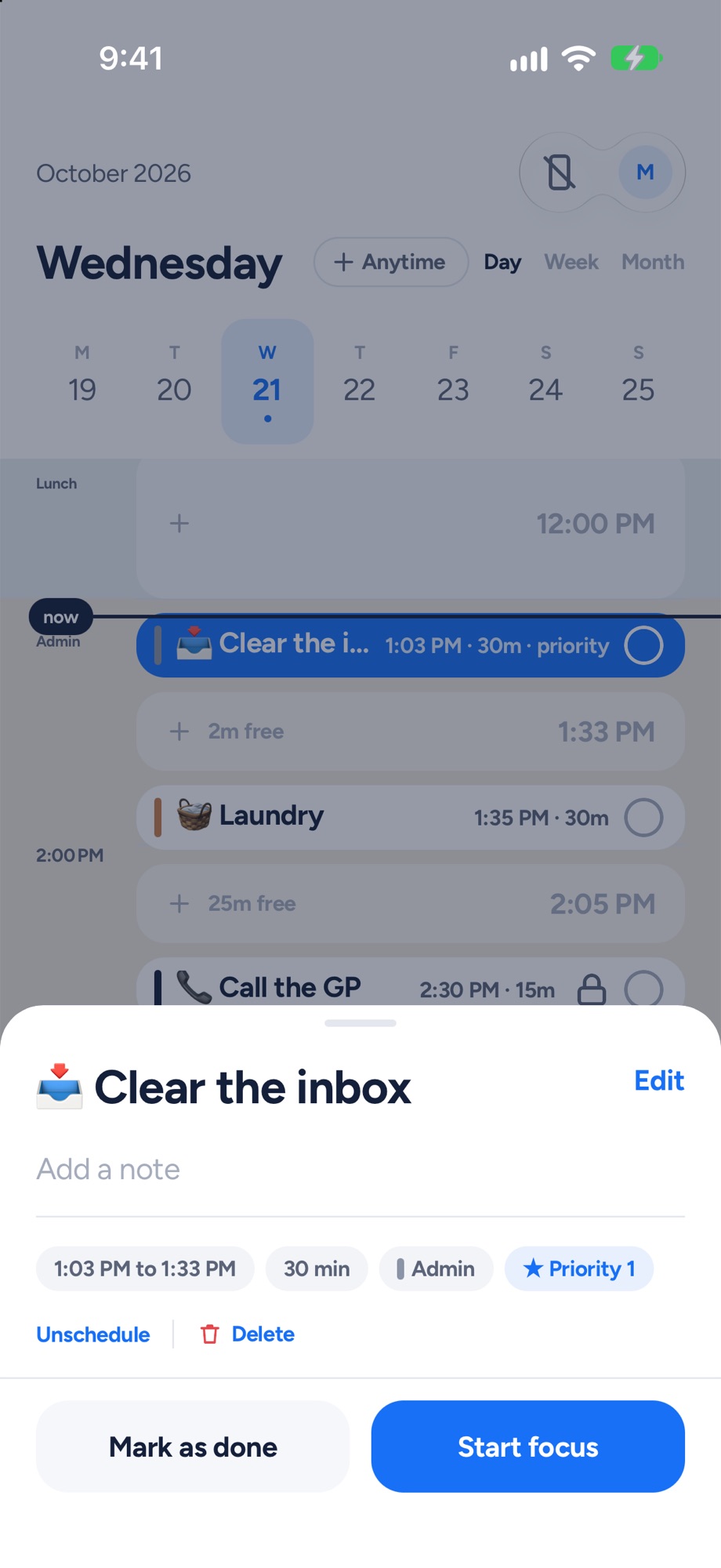
Tap the big thing on your timeline. Its card shows the time, the length, its tag and whether it's today's priority. Tap Start focus.
- 2
Pick how long, then Start
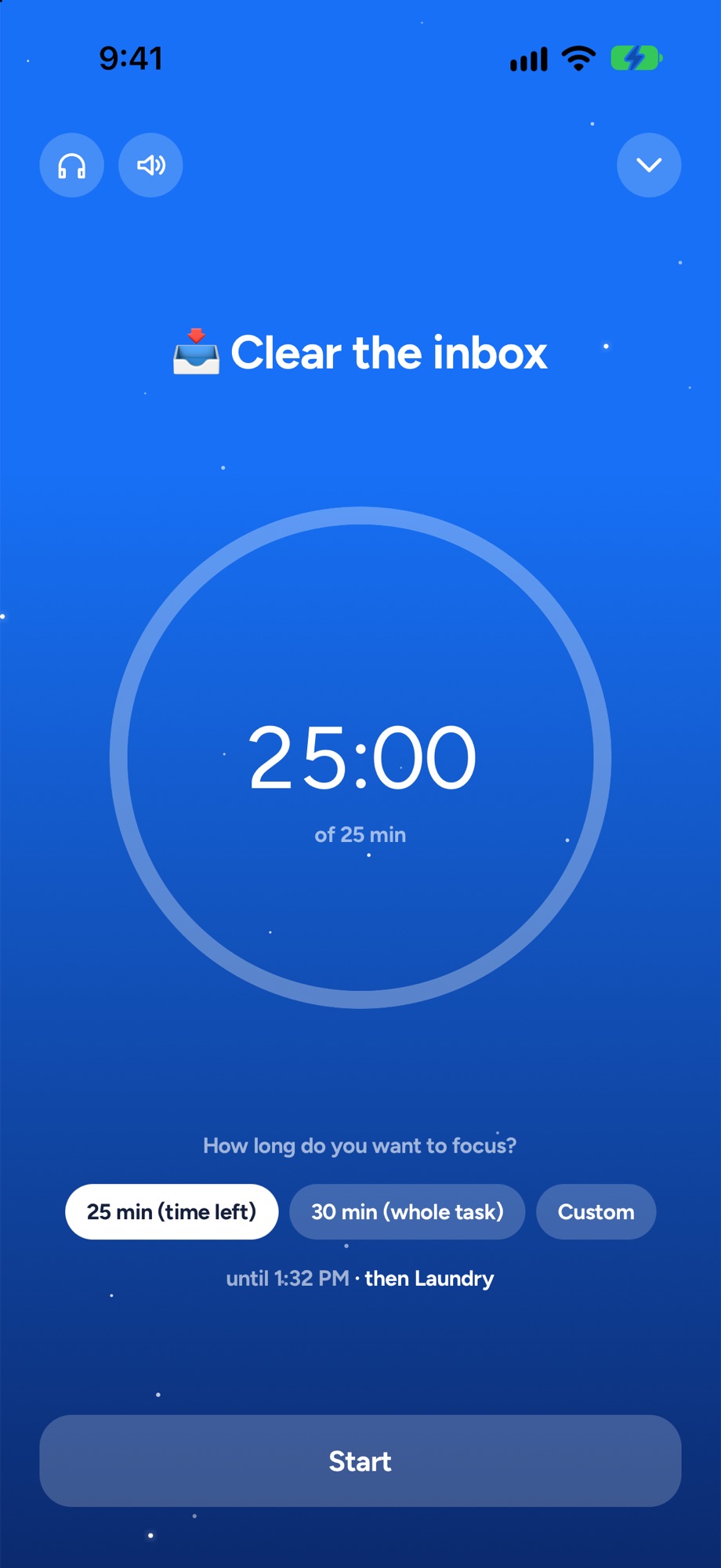
How long do you want to focus? The whole task, or a custom stretch. Yoodoo shows when it ends and what's next. Lo-fi on if you want it.
Next, try these.
Get it all out of your head, then give it a day.
Type, send, next. Sorting can wait. Star what matters and swipe right when something's ready for a time.
Get your mornings back from your phone.
Pick the apps once. They stay off while you work, with a few short unblocks a day for the real stuff. On iPhone and Android.