Build a habit that survives an off day.
Tick the small things from your homepage. A rest day keeps your run going, so one off day doesn't wipe out the rest.
2 min · For Scroller, Collector
- 1
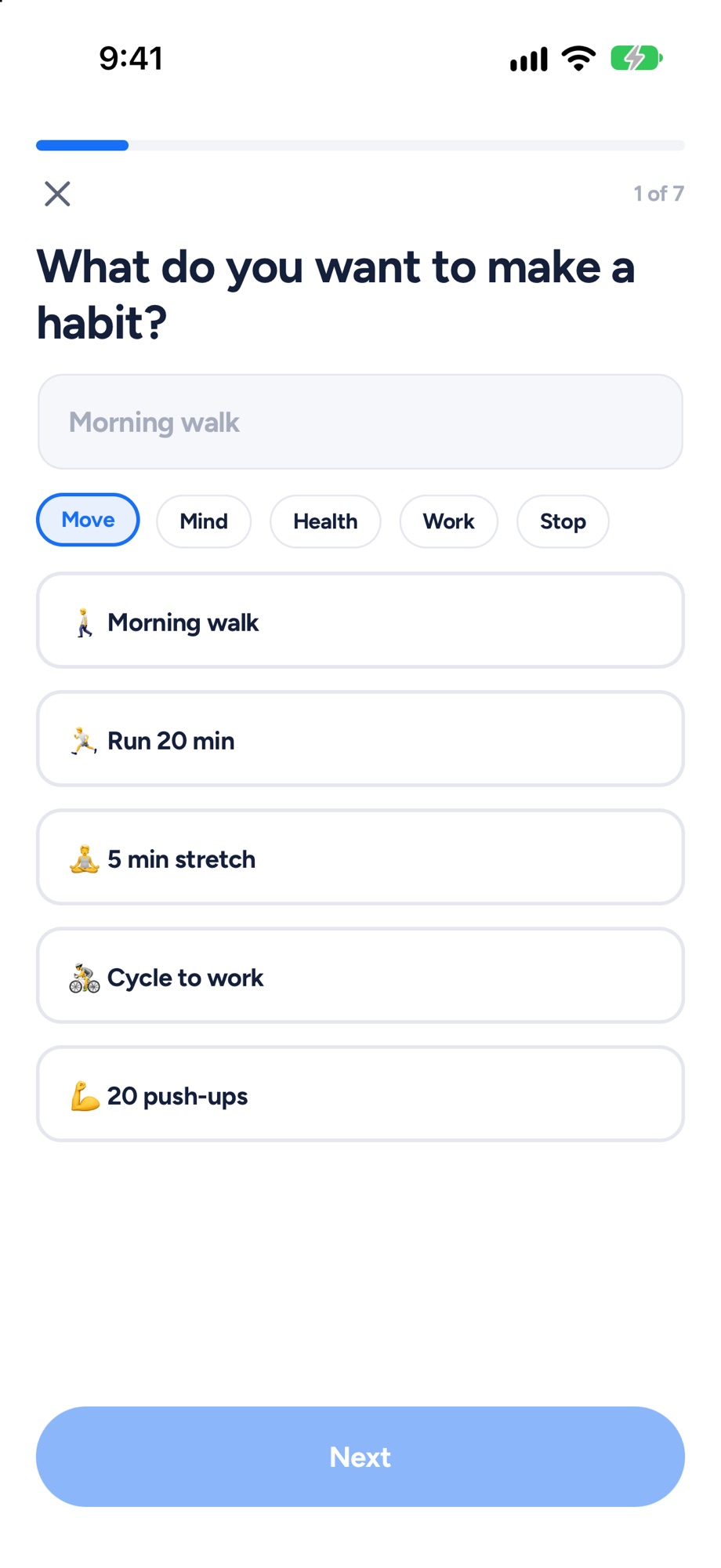
Add a habit from your homepage
On the Habits card, tap + Add a habit. Pick a popular one or type your own.
- 2
Make it fit a real week
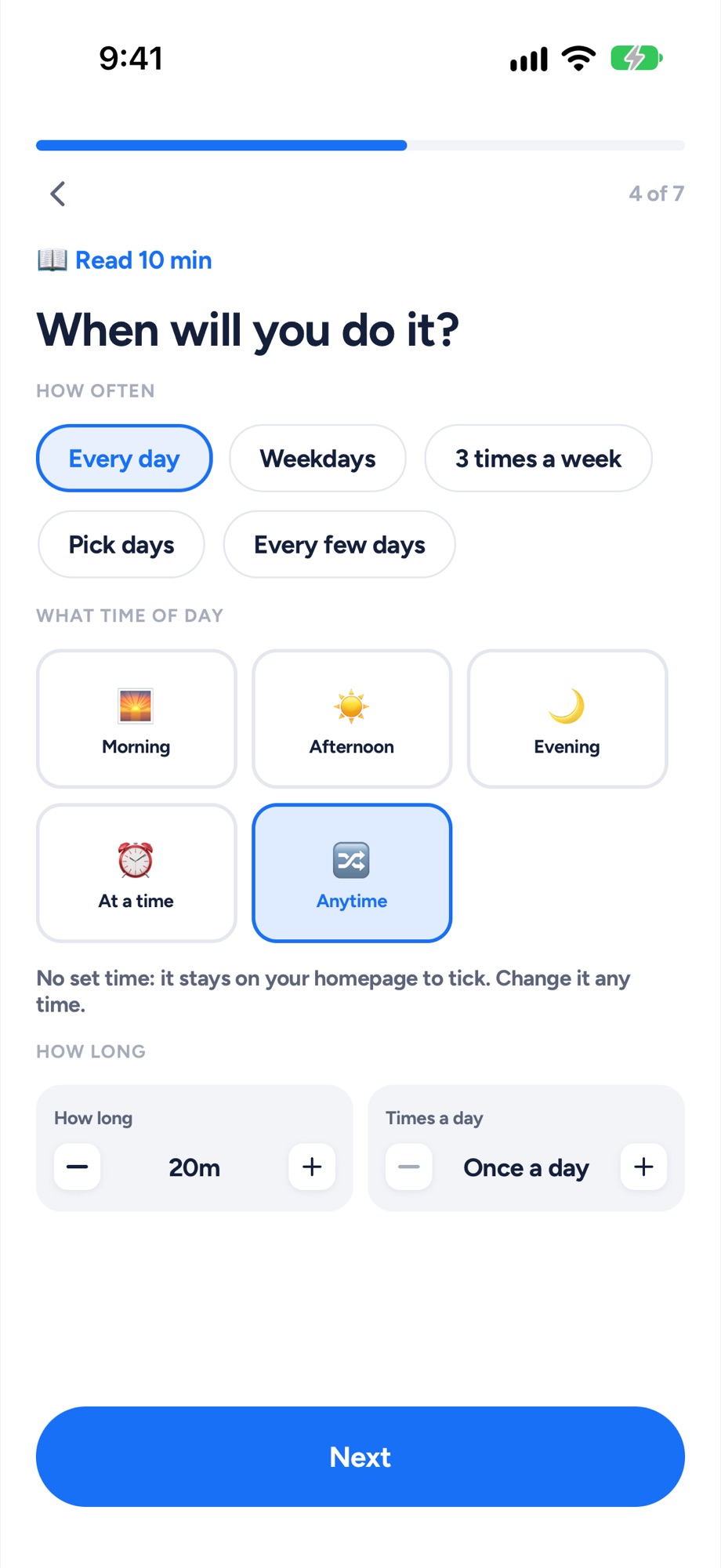
Something to do or Something to stop, then how often: Every day, Weekdays, 3 times a week, Pick days or Every few days. Give it a time and it becomes a block on your timeline; Anytime keeps it a tick on your homepage. Then Next to the end, and I'm in.
- 3
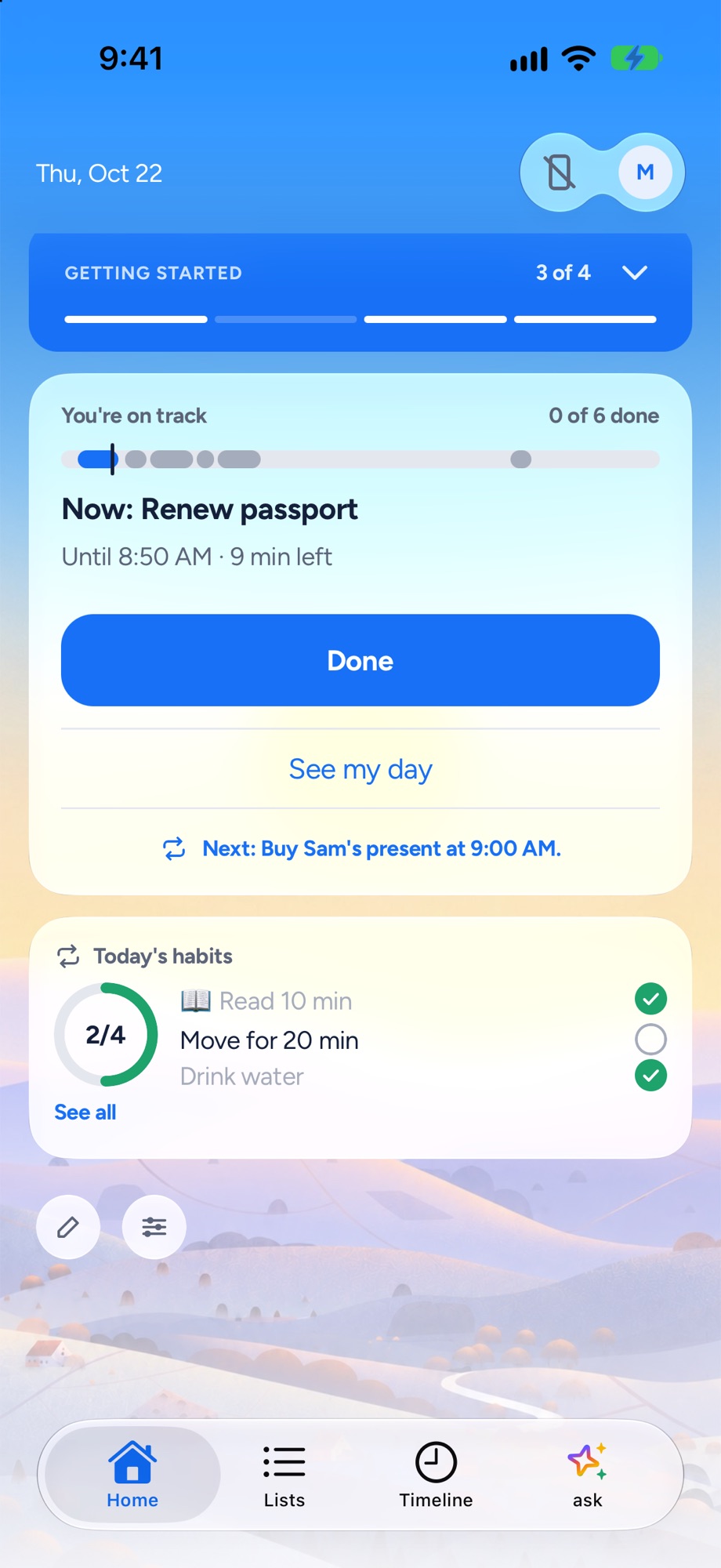
Tick it from your homepage
One tap on your homepage. All done today when you're there.
- 4
Runs that forgive an off day
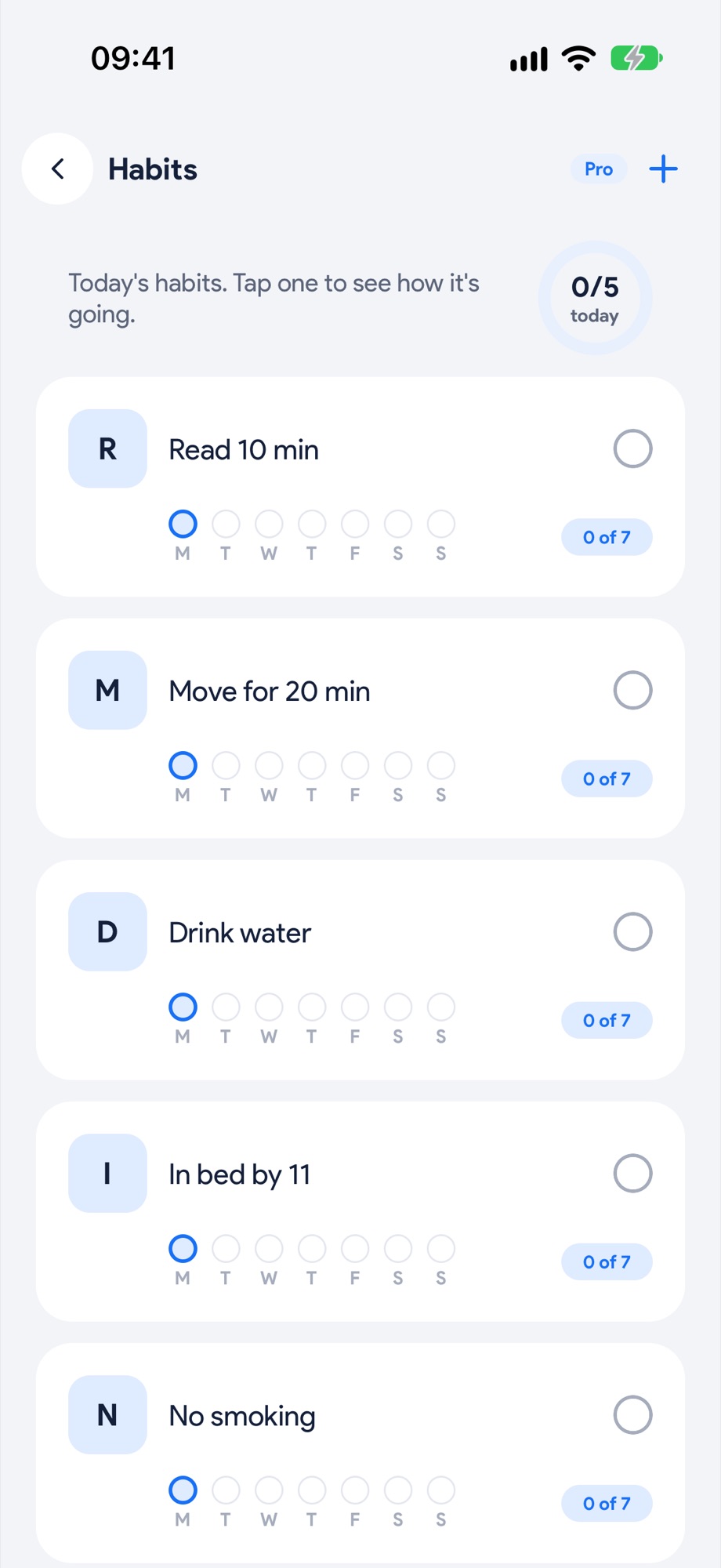
The Habits screen shows your run as dots. One day off a week is a Rest day and the run keeps going, as long as it isn't two in a row. A few-times-a-week habit counts the weeks you hit the target, not perfect days. Coming back after a gap? Back at it.
Next, try these.
Wrap up tonight, so tomorrow starts with shape.
Three taps at the end of the day. What rolled, rolled. Then plan tomorrow while it's fresh.
Get your mornings back from your phone.
Pick the apps once. They stay off while you work, with a few short unblocks a day for the real stuff. On iPhone and Android.