Get it all out of your head, then give it a day.
Type, send, next. Sorting can wait. Star what matters and swipe right when something's ready for a time.
2 min · For Collector, Starter
- 1
Open Lists and type
Tap Add task... at the bottom. Type, send, next. The keyboard stays up, so you can empty your head in one go. Sorting can wait.
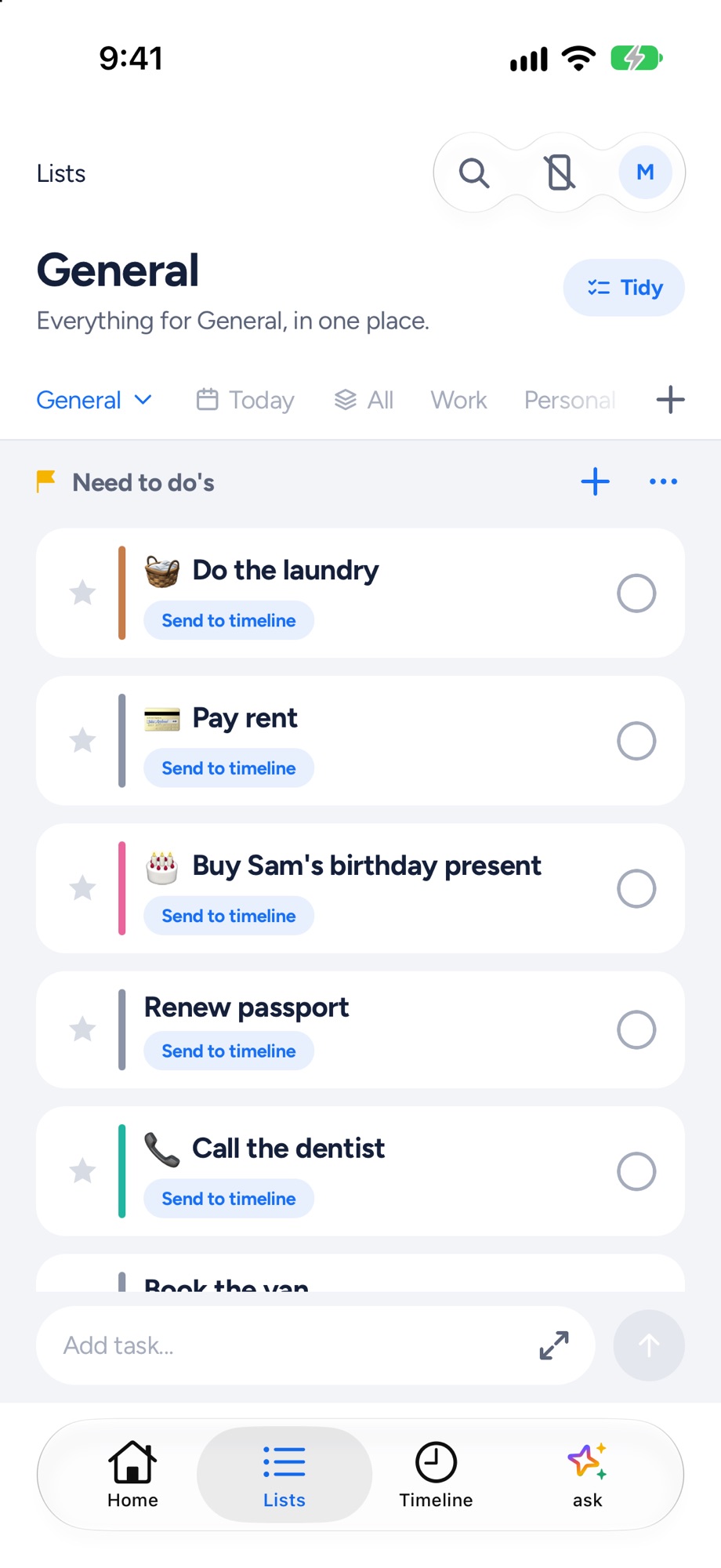
- 2
Star what matters
Tap the star on anything that matters. Starred tasks rise and get planned first.
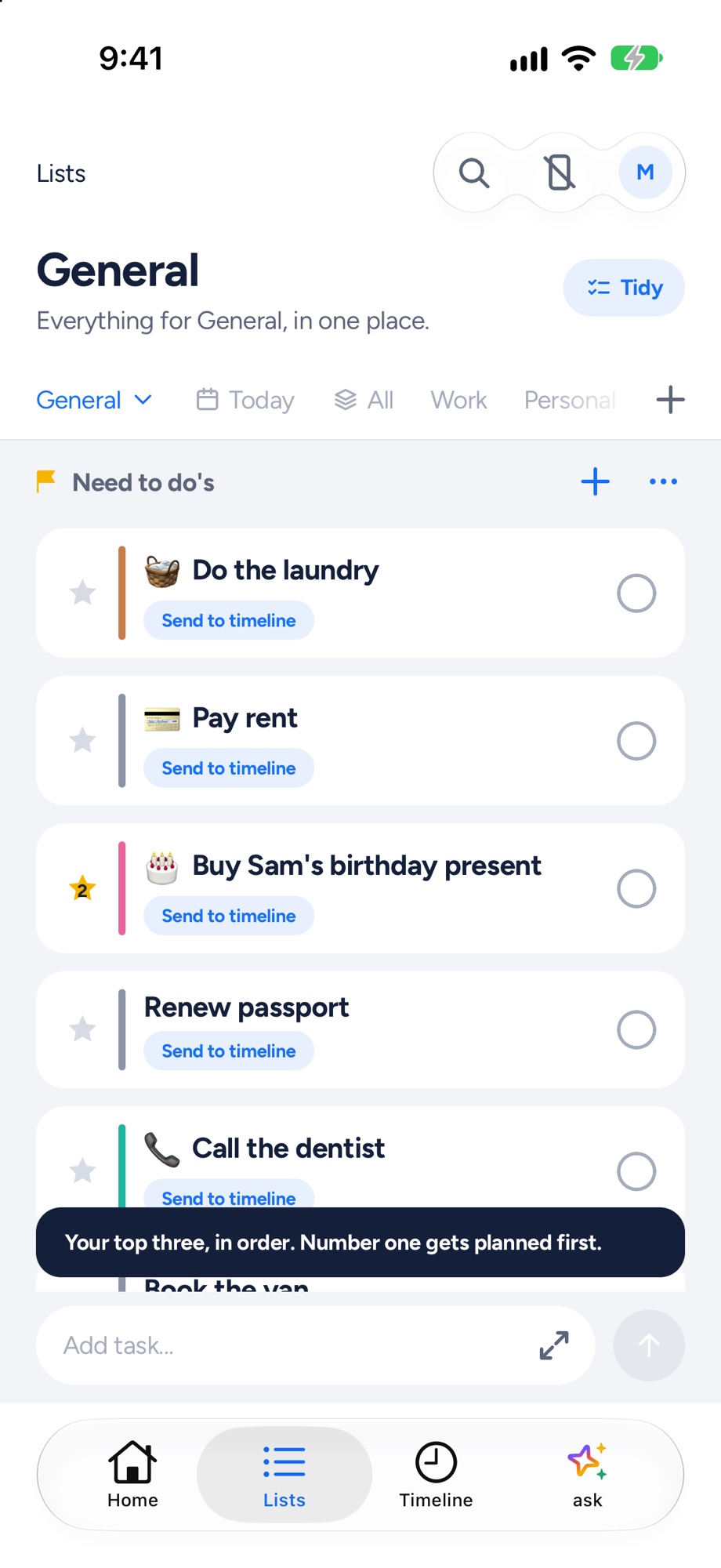
- 3
Give it a day
Tap Send to timeline: Today, next free, Tomorrow, or Pick a time with Apple's time wheel. Or swipe a task right to send it to today.
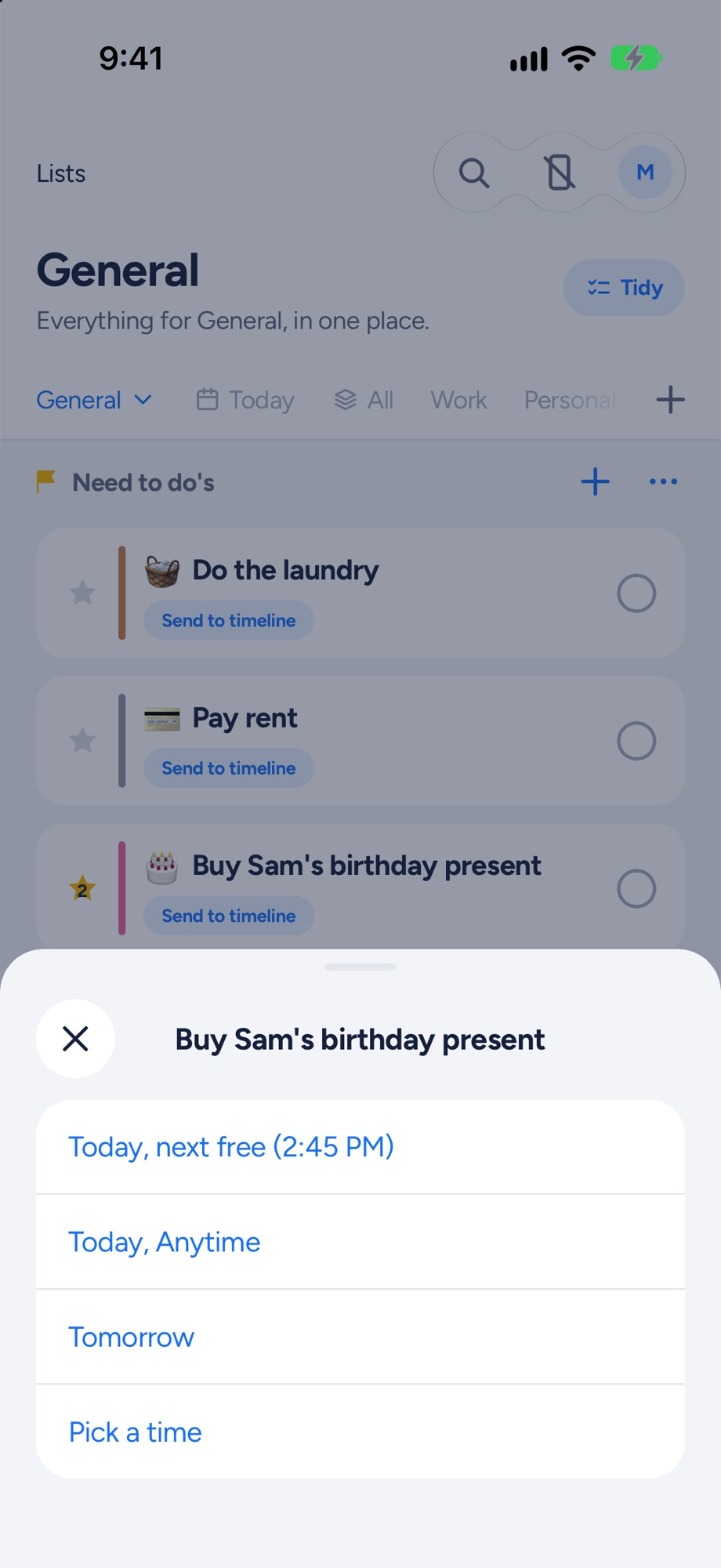
- 4
It's real now
It shows its time in the list, Sent to today confirms it, and it's on your timeline.
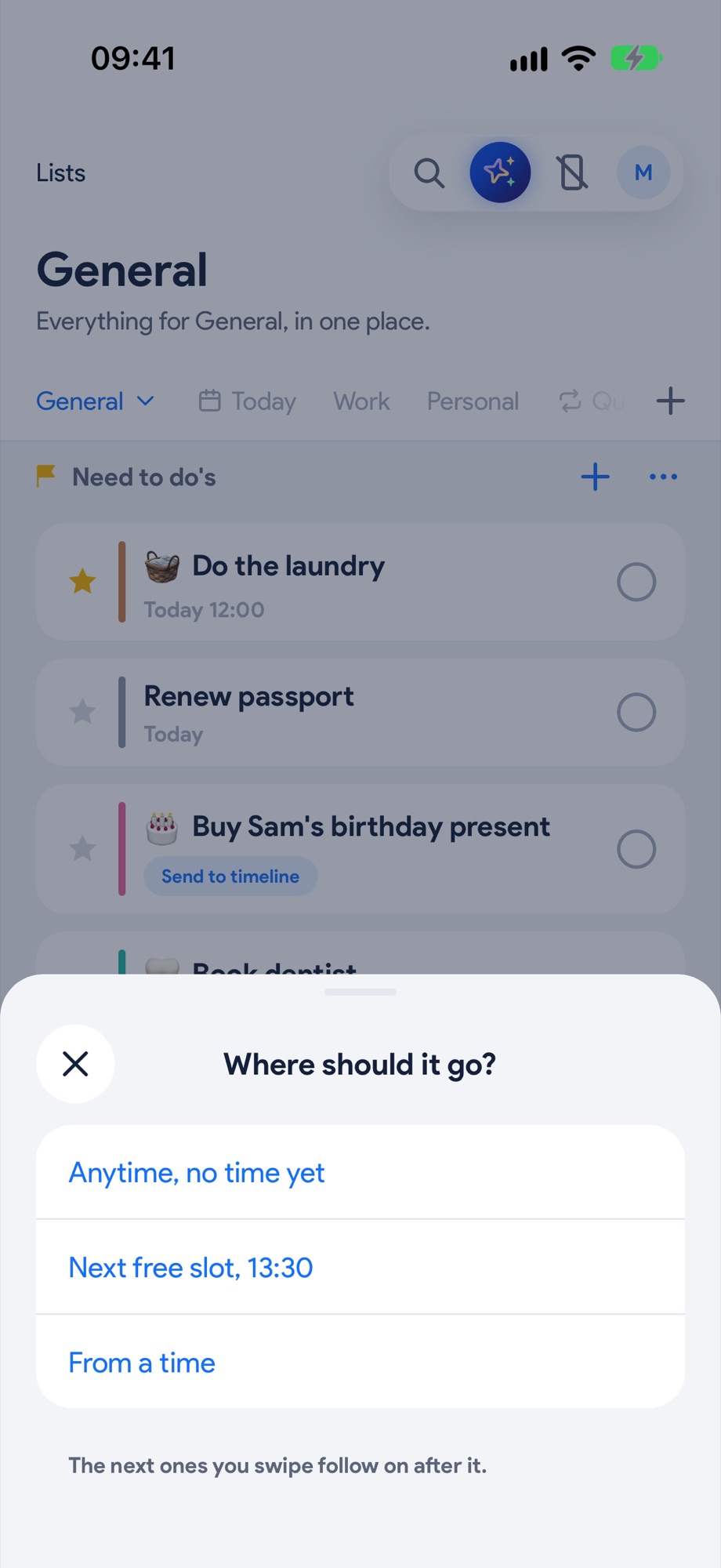
Next, try these.
Plan your whole day in a minute. Just say it.
Tell Yoodoo AI what's on, times and all. It builds the day around your fixed things, and locks what can't move.
Build a habit that survives an off day.
Tick the small things from your homepage. A rest day keeps your run going, so one off day doesn't wipe out the rest.