Blog Details
7 Signs Your Productivity App Is Fighting Your ADHD Brain


If your app requires more executive function to operate than your actual work does, it's not a tool — it's another obstacle. Here's how to tell the difference.
I spent years convinced I was bad at productivity. Turns out I was just using the wrong tools. Notion. Todoist. A brief, embarrassing phase with a colour-coded spreadsheet system I called "The Matrix." (I don't want to talk about it.)
Getting diagnosed with ADHD at 39 reframed everything. The apps weren't working because they weren't built for my brain. They were built for people who already have consistent executive function, reliable time perception, and the ability to just… open the app.
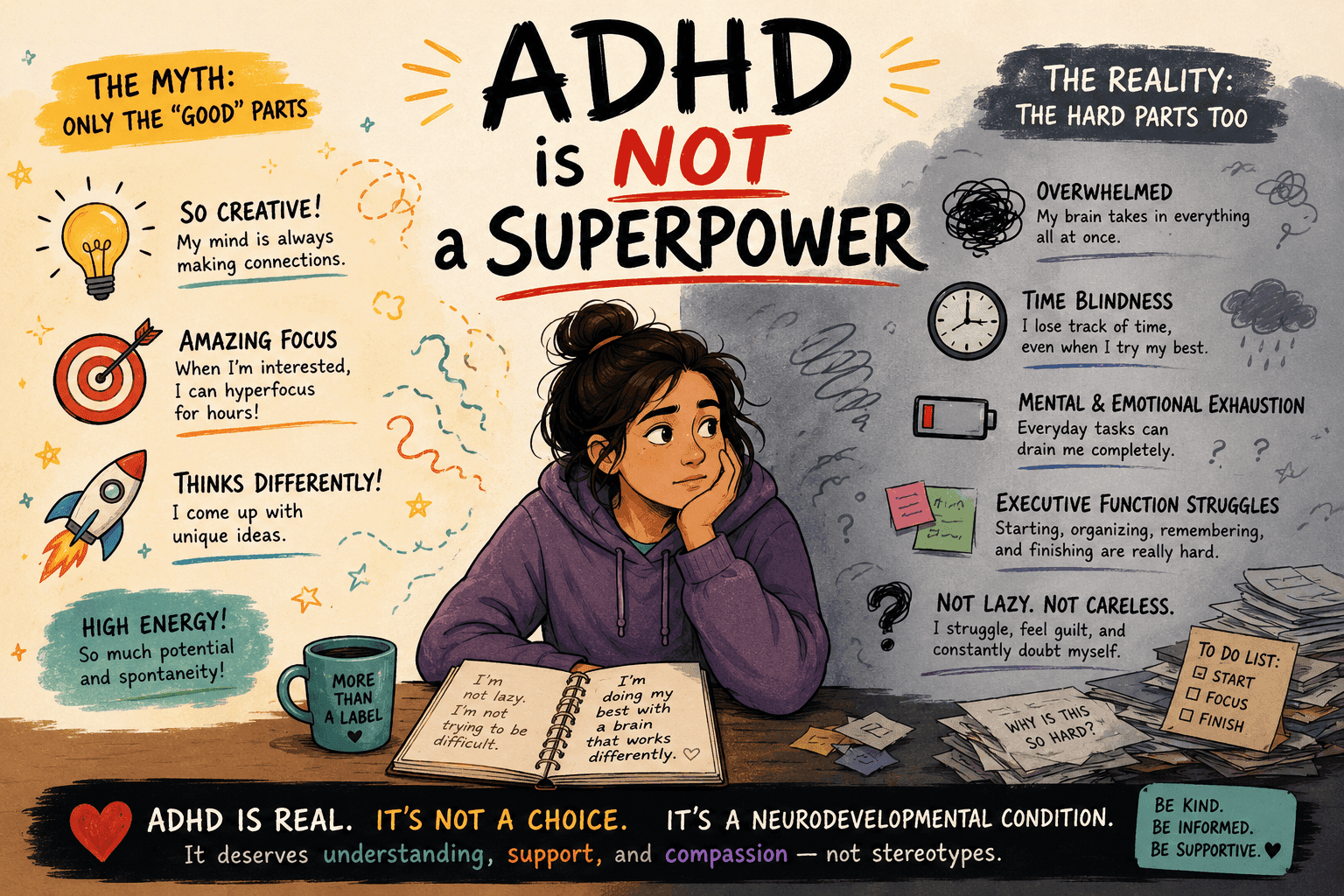
Traditional time management assumes you have consistent executive function, intrinsic motivation, and accurate time perception. ADHD brains have none of those reliably.
This post isn't about dunking on popular apps. Some of them are genuinely brilliant — for neurotypical brains. This is about recognising when your tool is quietly making things worse. And then doing something about it.
Sign 1: You Spend More Time Organising the App Than Doing Actual Work
You know the feeling. You sit down to be productive. Two hours later, you've built a beautiful nested task hierarchy in Notion, colour-coded everything by priority, and done absolutely nothing on the list.
This is the Notion trap. The Todoist trap. The "I'll just set this up properly first" trap.
These tools often operate on the assumption of sequential planning, sustained attention, and consistent executive functioning. For neurodivergent users, they can become sources of overwhelm rather than support. Users report "task paralysis", fatigue, and prioritisation confusion when interacting with long, static task boards or nested checklist hierarchies.
The app itself becomes the hyperfocus object. You feel productive. You are not productive.
The fix: Your app should take less than 60 seconds to set up your day. If it doesn't, it's working against you.
Sign 2: There's No Way to Handle When Your Day Goes Sideways
Here's the thing about ADHD brains and plans: we make them. Then life happens. Then the plan is useless. And most apps just… sit there. Silent. Judging you with their unticked boxes.
If your kid gets sick, your focus goes out the window at 11am, or you spend 45 minutes staring at a wall (we've all been there), a static to-do list offers zero help. It just becomes a monument to your failure.
Conventional productivity apps offer limited adaptability in response to fluctuating cognitive states. That's a polite way of saying: they assume perfect days. ADHD people don't have perfect days. We have real days.
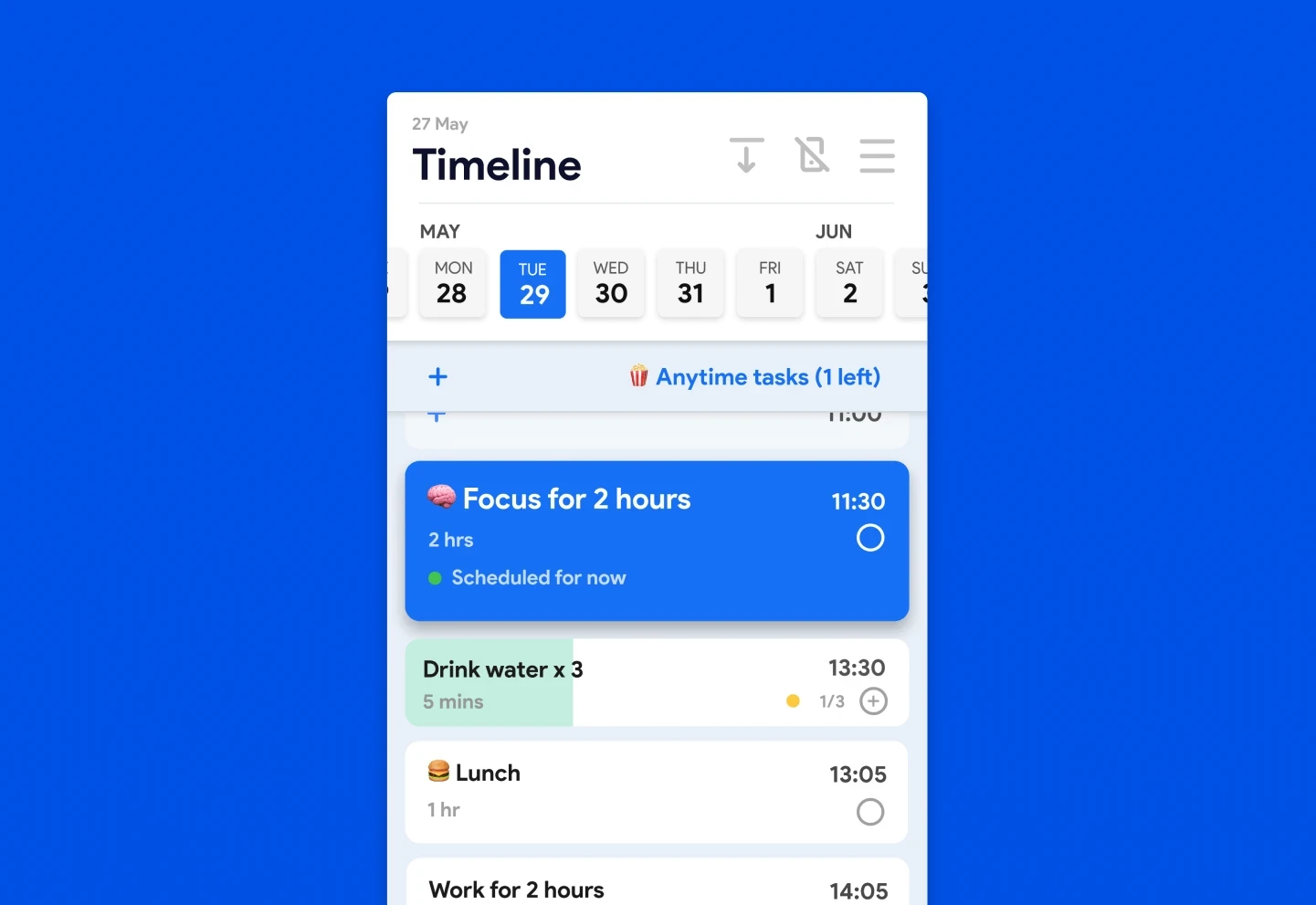
The fix: Look for auto-reschedule. Yoodoo's time-blocking system rebuilds your day around what actually happened, not what you planned. When something falls off, it doesn't just disappear — it finds a new home.
Sign 3: It Relies on You to Remember to Open It
A reminder app that you have to remember to check is not a reminder app. It's a calendar you'll forget exists.
Without a feedback loop, you end up in the classic ADHD app cycle. Download, use for a week, forget, feel guilty, download something new.
The dirty secret of most productivity apps is that they're passive. They wait for you. And ADHD brains are spectacularly bad at remembering to go check things. Out of sight is genuinely, neurologically out of mind.
People with ADHD tend to have a shorter time horizon and "future time blindness", meaning that deadlines often enter their mental radar when it's too late.
The fix: Your app should come to you. Active notifications, not passive interfaces. Yoodoo's focus timer and habit reminders are built to interrupt you — gently but insistently — rather than wait for you to show up.
Sign 4: It's Lists All the Way Down, No Time-Blocking
The list problem
Lists are fine. I'm not anti-list. But a list with no time attached to it is basically a wish. It exists outside of time. And ADHD brains already struggle with time blindness — the genuine neurological difficulty of sensing how long things take or how soon something is approaching.
Time blindness makes traditional planners useless.
A list of 14 tasks looks the same whether you have 2 hours or 8. There's no signal telling your brain when to do what. So you either freeze, or you pick the most interesting one (email? YouTube? same thing) and ignore the rest.
Why time-blocking works differently
When tasks have a time and a place in your day, they stop being abstract. They become real.
Time perception challenges make it easy to underestimate how long parts of a project will take. A simple method helps: break work into 15–30 minute micro-tasks, assign each a calendar slot, then track completion and adjust.
Tiimo gets this right — it's visual, it's timeline-based, and it won Apple's App of the Year. Genuinely great for building routines. But if you need your blocks to adapt dynamically when things shift, or you want distraction protection baked in, it leaves some gaps. That's exactly where Yoodoo's time-blocking picks up.
The fix: Tasks need a when, not just a what. Time-blocking converts your to-do list from a source of anxiety into an actual schedule.
Sign 5: There's Zero Distraction Protection Built In
Your productivity app is on your phone. Your phone is also where Instagram lives. And TikTok. And that one browser tab you opened three weeks ago and never closed.
Asking an ADHD brain to open a productivity app and not get pulled into something else is like asking someone who's hungry to walk through a bakery without stopping. Technically possible. Practically a nightmare.
With the rise of remote-first and digital-first work, the challenges associated with ADHD have become more visible and harder to manage. Digital work environments demand sustained attention, executive control, and rapid context switching — conditions that are inherently misaligned with ADHD.
Most apps do nothing about this. They organise your tasks and then leave you to fight every notification, app, and dopamine hijack alone.
The fix: Yoodoo has a built-in app blocker. When you're in a focus session, the distractions get locked out. The tool that's supposed to help you focus actually helps you focus. Wild concept.
Sign 6: Every Task Looks the Same — No Urgency Signals
Open Todoist. Open Notion. Look at your task list. Does "reply to that invoice email" look different from "submit the project that's due in an hour"? In most apps: nope. Same font. Same colour. Same complete lack of urgency.
Smart auto-prioritisation can be a game-changer for executive dysfunction — analysing your tasks and organising them so you focus on high-impact activities without getting bogged down in decision-making. Most mainstream apps just don't do this. Everything sits in a flat list and your brain has to do all the triage work — the exact work that ADHD makes hardest.
When everything looks equally important, nothing feels urgent. Until it's too late. Then everything feels catastrophically urgent at once.
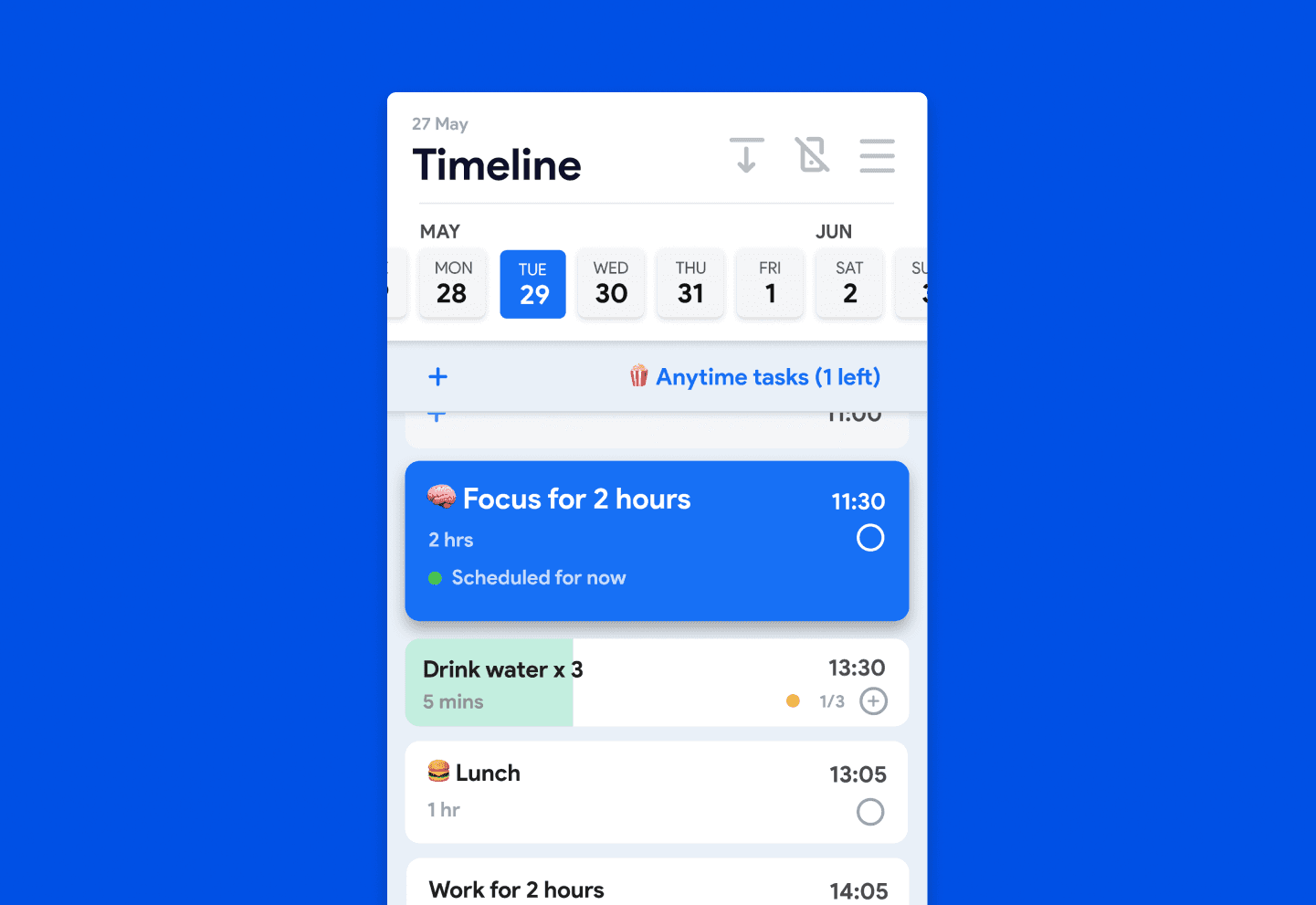
The fix: Your app should surface what matters most, when it matters. Visual urgency cues, deadline awareness, and smart prioritisation aren't a luxury — they're essential scaffolding for an ADHD brain. Check out Yoodoo's timeline view to see what this actually looks like.
Sign 7: It Only Works When You Have a Perfect Day
This is the big one. Most productivity systems are engineered for a fictional version of you — the one who wakes up energised, works linearly, takes structured breaks, and finishes everything by 5pm.
That person doesn't have ADHD.
Real ADHD days involve slow starts, random hyperfocus detours, forgotten tasks, energy crashes, and the occasional afternoon where you genuinely cannot explain where the last three hours went.
A 2025 systematic review found that ADHD apps can monitor symptoms and enhance cognitive function, but long-term efficacy depends on sustained use and feedback loops. Most people abandon apps within two weeks because they have no data showing whether the app is making a difference.
An app that shatters the moment your day goes off-script isn't resilient enough for an ADHD brain. It needs to bend, not break.
The fix: The right system works on the bad days too — not just the good ones. That's the whole point of Yoodoo. It was built for the version of me that exists, not the version I imagined I'd become if I just found the right app. (Spoiler: I tried a lot of apps.)
If you're ready to try something that's actually built for the way your brain works, download Yoodoo here. And if you're not sure where to start, the brain type quiz takes two minutes and gives you a personalised setup.
You don't need a perfect system. You need one that works on an imperfect day. There's a difference.
Try the productivity app built for ADHD brains
Built by an ADHD brain, for ADHD brains. Over 100,000 people use it.
Try Yoodoo free Free to start. No credit card.Frequently Asked Questions
Why do so many productivity apps fail people with ADHD?
Most apps are designed assuming you have consistent executive function, reliable time perception, and self-directed motivation. ADHD affects all three. Apps like Notion and Todoist are powerful tools — they're just built for a brain that doesn't need to fight for focus every hour of the day.
What's the difference between a to-do list app and a time-blocking app for ADHD?
A to-do list tells you what to do. A time-blocking app tells you what to do and when to do it. For ADHD brains dealing with time blindness, that second part is everything. A list without time attached to it lives in the abstract — time-blocking makes tasks real and concrete. You can learn more about how it works at Yoodoo's time-blocking setup guide.
Is Tiimo good for ADHD?
Tiimo is genuinely well-designed, visually clean, and strong for building daily routines — it won Apple's iPhone App of the Year for good reason. Where it has gaps is dynamic rescheduling when your day goes off-plan, and distraction protection. If visual routine structure is your main need, it's worth trying. If you need an app that adapts to chaos and blocks distractions, Yoodoo handles that better.
What should I look for in an ADHD productivity app?
Look for: time-blocking (not just lists), auto-reschedule when things go wrong, built-in focus/distraction tools, active reminders that come to you, and urgency signals that help you prioritise without burning through executive function just to figure out what to do next.
Why does my ADHD brain keep abandoning productivity apps?
Usually because the app requires too much maintenance to keep working — and the moment life interrupts your perfect system, it collapses. That's not a character flaw. It's a design failure. The app should bend to your day, not the other way around. If you keep finding yourself back at square one, it's probably the tool, not you.


Blog